TL;DR
A roofing website should balance cost, speed, lead generation, and local visibility. This guide compares roofing website design costs, timelines, essential features, common mistakes, local SEO steps, and three WordPress themes to help roofing businesses choose the right setup for their budget and growth goals.
Wondering what a roofing website should cost and what it actually needs to bring in more leads?
You are not alone. Roofing website design can cost anywhere from under $500 to $25,000+, depending on the build route, features, customization, and how much work you handle yourself.
However, you do not need the most expensive option to build a professional site that turns visitors into roofing leads. The Right WordPress theme can be enough for many small roofing companies, while larger firms may need a custom build with advanced tools and integrations.
Getting the right roofing website design also matters because homeowners often find roofers online. Roofing Contractor’s homeowner survey found that 54% of homeowners use a search engine to find a roofer.
In this guide, you will learn:
- Real cost ranges for all six build routes
- Realistic timelines from start to launch
- Must-have features for a roofing site
- What pushes your roofing website cost up or down
- Which route fits your business
- Three roofing themes you can preview live
- Ongoing costs after launch
By the end, you will know what a roofing website really costs, what you are paying for, and which option makes the most sense for your business.
Roofing Website Design Cost and Timeline at a Glance
Before we break down each option, here is the market on one screen. These are typical US-dollar ranges for roofing website design, based on what theme shops, freelancers, and agencies charge roofing businesses.
| Route | Typical Cost | Timeline | Best For |
| Premium roofing WordPress theme | $19 to $49 one-time | 1 to 2 weeks | New and small roofing companies that want a polished site quickly |
| DIY website builder | $200 to $600 a year | 1 to 3 weeks | Roofers on a tight budget who need a simple starter site |
| Pay-monthly website plan | $100 to $400 a month | 1 to 3 weeks | Roofers who want to avoid a high upfront cost |
| Freelance web designer | $1,000 to $4,000 | 2 to 6 weeks | Local roofers who want personal support at a moderate price |
| Roofing marketing agency | $3,000 to $10,000 | 4 to 10 weeks | Established contractors competing in crowded local markets |
| Fully custom build | $10,000 to $25,000+ | 8+ weeks | Commercial and multi-location roofing companies with larger budgets |
Hosting, the domain, and your own content are usually extra. We will cover these ongoing roofing website cost factors later in the guide.
What Features Should a Roofing Company Website Design Include?
A roof is a major purchase, and homeowners often compare several roofers before making a call. In the same Roofing Contractor survey, 65% of homeowners said clear website pricing makes them more likely to call.
A strong roofing company website design should make the next step obvious while giving visitors enough proof to trust the business.
- Click-to-call and free inspection: Keep the phone number and a Free Roof Inspection button easy to find, especially on mobile.
- Dedicated service pages: Create separate pages for roof repair, replacement, storm damage, gutters, and commercial roofing. This helps visitors find the right service and gives each one a chance to rank in search.
- Before-and-after gallery: Show real roofing projects by job type. Visual proof can build confidence faster than long sales copy.
- Storm damage and insurance information: Explain the inspection and insurance claim process in simple terms. This is especially helpful for homeowners dealing with storm damage for the first time.
- License, insurance, and certifications: Display relevant credentials near your contact or quote sections. They provide quick proof that the contractor is qualified and insured.
- Customer reviews: Feature recent reviews that mention specific services or projects. Detailed feedback feels more credible than generic testimonials.
- Pricing, financing, and warranties: Share starting prices or typical ranges where possible, along with financing options and workmanship warranties. Clear information can remove hesitation before a visitor calls.
- Service areas and map: List the cities or counties you serve and show them on a map. This helps homeowners confirm coverage and supports local search visibility.
- Short quote form: Ask for only the essentials, such as name, contact details, service needed, and preferred timing. Shorter forms are easier to complete.
- Fast, mobile-friendly pages: Make sure pages load quickly, and buttons are easy to tap. Roofing searches often happen on a phone when homeowners need help quickly.
Also Read: 40 Best HVAC Website Examples for Modern Businesses
Roofing Website Design Cost by Route
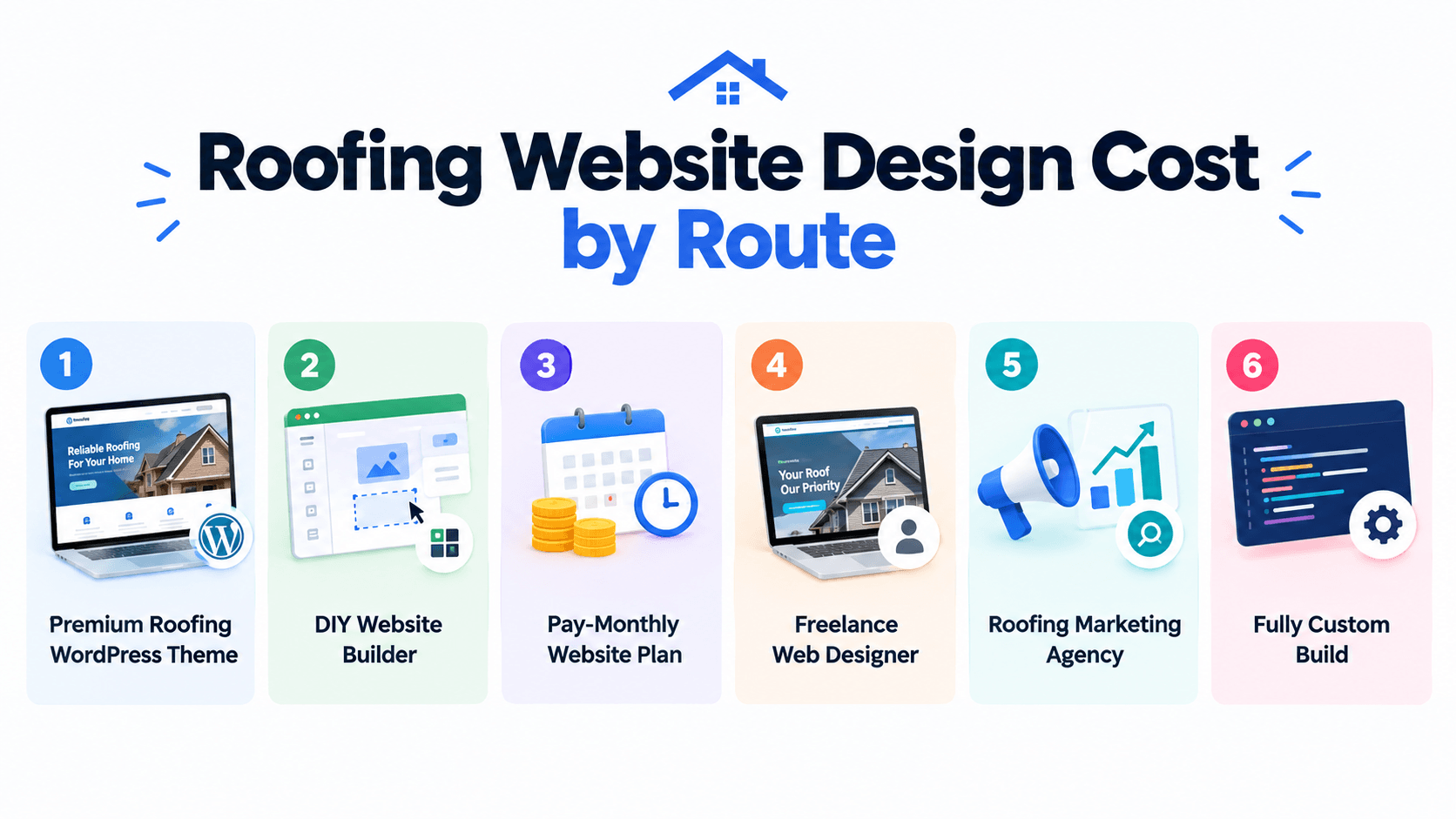
Now let’s look at what each option costs in practice. The routes below move from the fastest, most affordable choice to the most expensive and customizable.
1. Premium Roofing WordPress Theme
A premium roofing WordPress theme gives you a ready-made design that you can customize with your logo, photos, services, and brand colors. Awaiken themes cost $19 to $49 one-time, making this the most affordable option for new and small roofing companies. You still need hosting, a domain, and your own content.
2. DIY Website Builder
A DIY builder lets you create a site with drag-and-drop tools without writing code. Plans usually cost $200 to $600 a year, making them suitable for new roofers working with a tight budget. The main trade-off is the recurring fee and the platform limits that can affect future customization.
3. Pay-Monthly Website Plan
Some roofing software companies and small studios build and maintain your site for $100 to $400 a month, sometimes with a setup fee. This keeps the upfront cost low, but the payments continue as long as you use the service. Over several years, the total can exceed the cost of a one-time build.
4. Freelance Web Designer
A freelancer can build a roofing contractor website around your services, branding, and goals for roughly $1,000 to $4,000. You work directly with one person, which can make communication and revisions simple. The main risk is availability if the designer is managing several projects at once.
5. Roofing Marketing Agency
A roofing marketing agency typically charges $3,000 to $10,000 and may also charge a monthly marketing fee. You get a team that can handle design, content, SEO, and lead tracking together. This makes roofing web design a stronger fit for established contractors competing in crowded markets.
6. Fully Custom Build
A fully custom website starts from scratch and usually costs $10,000 to $25,000+. It makes sense for commercial or multi-location roofing groups that need advanced features such as estimate tools, customer portals, or custom integrations. For most small residential roofers, the extra investment is difficult to justify.
Also Read: 15 Best Roofing Website Templates
What Pushes Your Roofing Website Cost Up or Down
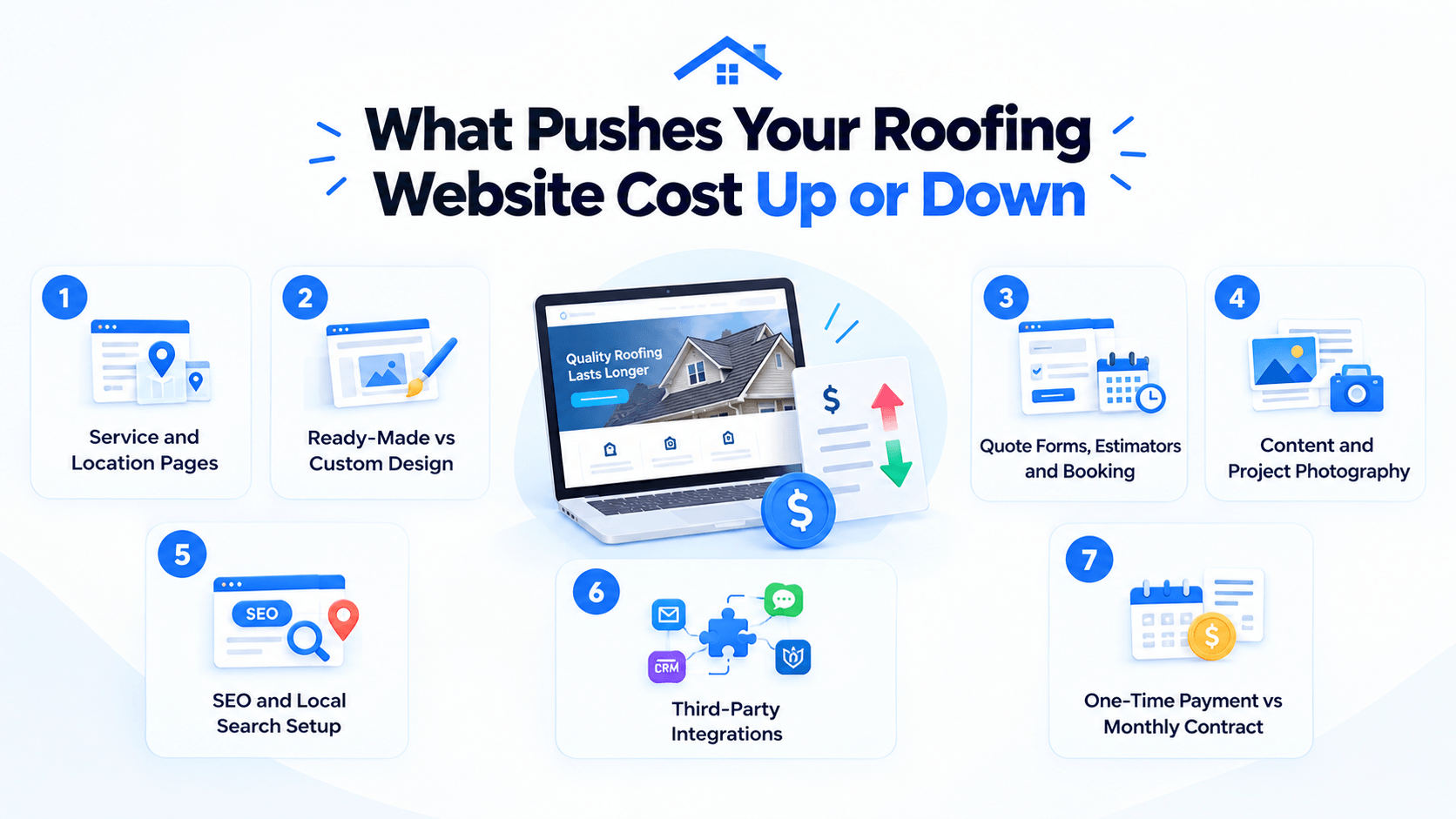
Ask three designers for a price, and you may get three very different numbers. The seven factors below explain why, and they shape your final roofing website cost no matter the route.
1. Number of Service and Location Pages
Every extra page needs design and words, so more pages mean a higher bill. A simple site works with five pages, while a lead-focused one often runs 15 to 30. Service and city pages bring in local searches, so cutting them saves money but costs you visibility.
2. Ready-Made Design vs Custom Design
Choosing a ready-made design keeps the price down, since someone has already built and tested the layout. A custom design starts from a blank page for your brand alone, which adds weeks of work. That single choice can move your roofing website design quote by several thousand dollars.
3. Quote Forms, Instant Estimators and Booking
A basic quote form is affordable and sends each request straight to your inbox. Instant roof estimators and online inspection booking cost more, because they need extra setup and testing. Start simple, then add the advanced tools once your leads justify them.
4. Written Content and Real Project Photography
Professional writing for a 10 to 15 page roofing site often runs $1,000 to $5,000. Drone shots and before-and-after photos add to the bill, yet they sell your work better than stock images. You can lower this cost by supplying your own photos from recent jobs.
5. SEO and Local Search Setup
This first round of work covers page titles, site structure, loading speed, and your Google Business Profile. It is usually a one-time job, while agencies bill ongoing SEO separately, often from $750 a month. Always ask whether this work sits inside your quote or outside it.
6. Third-Party Integrations
Connecting your site to a customer management tool, a financing provider, live chat, or a review app takes extra setup time. Each connection is small on its own, but several together raise the price noticeably. List the tools you already use before you ask for a quote.
7. One-Time Payment vs Monthly Contract
A one-time payment costs more upfront but leaves you owning the website outright. A monthly contract spreads the cost, yet the total keeps growing for as long as you stay. Compare both options over three years before you sign anything.
How Long Does It Take to Build a Roofing Website?
Roofing website design projects often take longer than expected, but the delay usually comes from missing content, photos, or approvals rather than the actual build.
| Route | Realistic Timeline | What Usually Slows It Down |
| Premium roofing WordPress theme | 1 to 2 weeks | Waiting for text and project photos |
| DIY website builder | 1 to 3 weeks | Learning the editor between roofing jobs |
| Pay-monthly website plan | 1 to 3 weeks | Onboarding and waiting for content |
| Freelance web designer | 2 to 6 weeks | One designer managing several clients |
| Roofing marketing agency | 4 to 10 weeks | Content approvals and photo shoots |
| Fully custom build | 8+ weeks | Design changes and custom tool testing |
With a premium theme, a typical two-week launch looks like this:
- Week 1: Buy your domain and hosting, install the theme, import the demo, and replace the sample content with your services and service areas.
- Week 2: Add project photos, reviews, and license details. Test every form and button on mobile before launch.
To launch faster, prepare your logo, service list, service areas, license details, and 15 to 20 project photos before the build begins.
Web Design for Roofers: Which Route Fits Your Business?
Cost matters, but the right web design for roofers depends on the type of business you run. Find the closest match below to see which route makes the most sense.
- New or solo roofer: Start with a premium roofing WordPress theme. Keep more of your budget for insurance, tools, and local advertising, then upgrade the site as the business grows.
- Established residential roofer: A premium theme or freelancer can work well. Put the extra budget into real project photography and dedicated pages for each service.
- Storm restoration contractor: Choose a route that can launch quickly and make emergency calls easy. Strong call buttons and a dedicated storm damage page should be priorities.
- Commercial roofing company: Property managers look for case studies, safety credentials, and detailed service information. A freelancer or agency can provide the structure and polish these projects often need.
- Multi-location roofing group: An agency or custom build is usually the better fit. Separate location pages, routed leads, and customer management integrations require more advanced setup.
The right route is not always the most expensive one. It should match your business size, sales process, and next stage of growth.
AI Website Builders vs a Roofing WordPress Theme: Which One to Choose?
AI website builders can get a basic roofing site online in minutes, but you keep paying an annual fee and stay within the platform’s limits.
A premium roofing WordPress theme takes a little more setup. In return, you get a professional design, ready-made roofing pages, more control, and full ownership of the site.
W3Techs reports that WordPress runs over 40% of all websites. A drag-and-drop page builder for WordPress also makes it easier to customize pages without coding.
| What Matters | AI Website Builder | Roofing WordPress Theme |
| Price | $200 to $600 per year | $19 to $49 one-time |
| 5-Year Cost | $1,000 to $3,000 | $19 to $49, plus hosting |
| Roofing Pages | Varies by platform | Services, projects, pricing, team, testimonials, gallery, and FAQ |
| Design | AI-generated | Professional roofing design |
| Customization | Limited to platform options | Change colors, fonts, layouts, and menus |
| Quote Requests | Varies by platform | Contact forms and plugin support |
| Ownership | Tied to the platform | You own the site and can change hosts |
| Future Growth | Limited to platform tools | Add pages, plugins, and features |
| Best For | Quick, basic websites | Professional roofing websites |
In short:
- AI builder: Best when you need a simple website online quickly.
- Roofing WordPress theme: Better when you want ownership, customization, and room to grow.
Next, let’s look at three roofing WordPress themes that can speed up the build.
Quick 3 Picks: Best Roofing WordPress Themes
Are you short on time? These three roofing themes also work as live roofing website examples, because each demo is a complete site you can click through. The table below lines them up:
 First choice First choice |  Second choice Second choice |  Third choice Third choice |
|---|---|---|
| Awning – Roofing Services WordPress Theme | Aurox – Roofing Solutions WordPress Theme | Ruffix – Roofing Service WordPress Theme |
 |  |  |
| Popularity: Elite Author on ThemeForest with 17,500+ sales | Popularity: Elite Author on ThemeForest with 17,500+ sales | Popularity: Elite Author on ThemeForest with 17,500+ sales |
| Rating: 4.7-star author rating | Rating: 4.7-star author rating | Rating: 4.7-star author rating |
| Built for: Roofers, awning installation businesses, home improvement firms, and construction service teams | Built for: Residential and commercial roofers, repair crews, and roof inspection or maintenance specialists | Built for: Roofers who also offer general contracting, renovation, handyman, or repair work |
| Design style: Polished and efficient, with speed-optimized pages that open quickly on any device | Design style: Modern and professional, with a clean structure made to earn trust and generate leads | Design style: Clean and strong, with service-focused layouts that put your expertise first |
| Homepage options: 3 hero variations on one homepage: image, video, or slider background | Homepage options: 3 unique homepage layouts to choose from | Homepage options: 3 hero layouts on one homepage: main, image background or video background |
| Ready-made pages: 16+ inner pages, from Services, Projects and Pricing to Team, Testimonials, FAQs and two galleries | Ready-made pages: 16 inner pages, with Project Details, Team Details, Pricing Plans, Testimonials, FAQs and two galleries | Ready-made pages: 16 inner pages, covering Service Details, Projects, Pricing, Team, Testimonials, galleries and Blog |
| Easy to Customize: Edit everything with Elementor. No coding skills required | Easy to Customize: Edit everything with Elementor. No coding skill required | Easy to Customize: Edit everything with Elementor. No coding skill required |
| One-Click Demo Import: Import the complete website within minutes | One-Click Demo Import: Import the complete website within minutes | One-Click Demo Import: Import the complete website within minutes |
| Design control: Real-time edits to colors, fonts, and layout elements in the WordPress Customizer, along with header, footer, and mega-menu builders | Design control: One global system for colors and typography, with builders for the header, footer, and mega menu | Design control: Central panel for global fonts and colors, with 4 header and 4 footer variations to mix |
| Works with: Elementor, Elementor Pro, Contact Form 7, WPML, Gutenberg optimized, widget ready | Works with: Elementor, Elementor Pro, Contact Form 7, WPML, Gutenberg optimized, widget ready | Works with: Elementor, Elementor Pro, Contact Form 7, WPML, Gutenberg optimized, widget ready |
| WordPress support: WordPress 6.6 up to 7.0 | WordPress support: WordPress 6.6 up to 7.0 | WordPress support: WordPress 6.6 up to 7.0 |
| Lifetime Free Updates: Receive every future update at no extra cost | Lifetime Free Updates: Receive every future update at no extra cost | Lifetime Free Updates: Receive every future update at no extra cost |
| Support: 6 months of support included, with full documentation | Support: 6 months of support included, with full documentation | Support: 6 months of support included, with full documentation |
| Price: $49 for one website, with lifetime free updates | Price: $49 for one website, with lifetime free updates | Price: $49 for one website, with lifetime free updates |
| See it live: Live Preview | See it live: Live Preview | See it live: Live Preview |
Each theme below can take your roofing website design from idea to launch in 1 to 2 weeks. Read on to see where each one stands out and which roofer it suits.
Quick 3 Picks: Best Roofing WordPress Themes
1. Awning – Roofing Services WordPress Theme
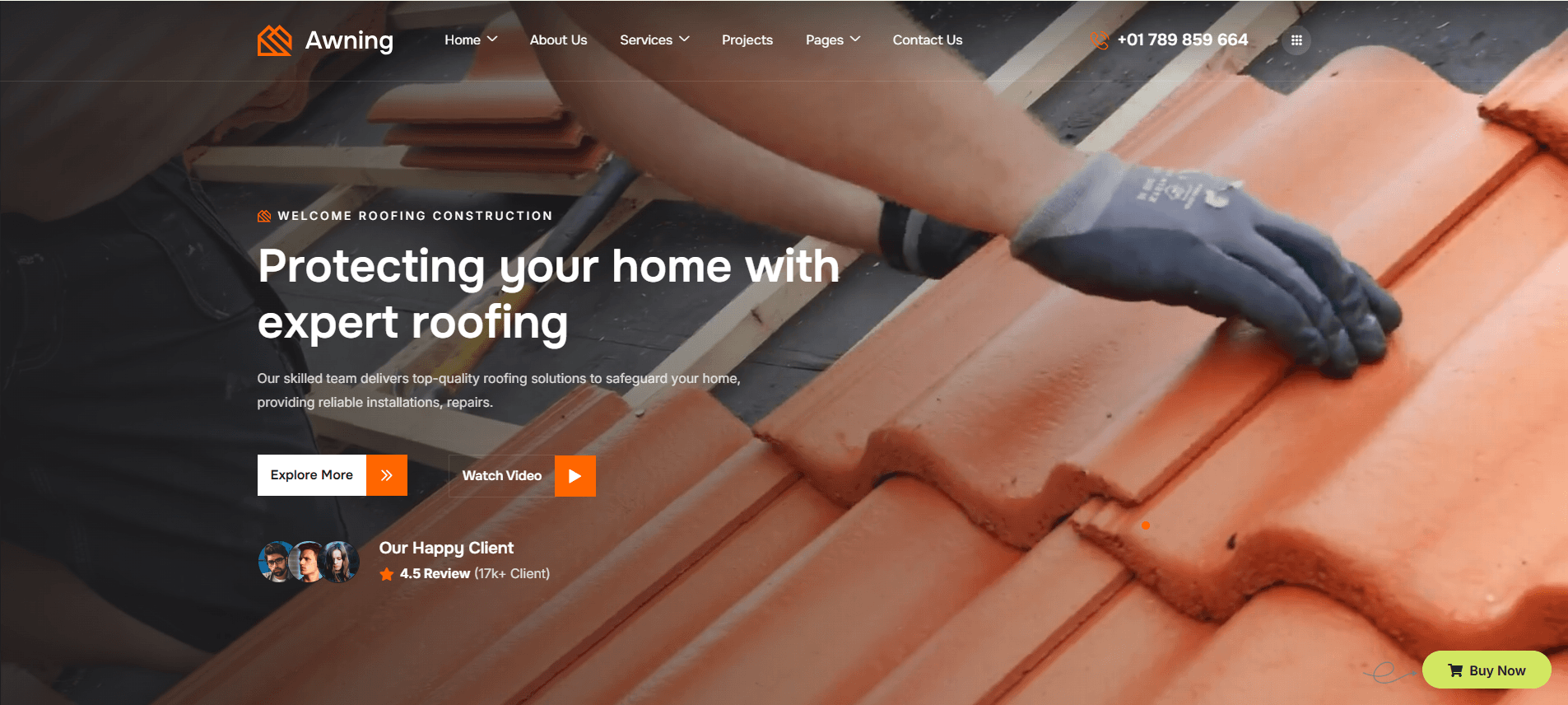
Awning is a roofing services WordPress theme built for roofers, awning installers, and home improvement contractors. Its homepage includes three hero variations, letting you lead with a photo, video, or slider.
You get 16+ ready-made inner pages, including Pricing, Services, Projects, Testimonials, Team, and FAQs, along with image and video galleries. This gives you most of the structure needed for a complete roofing site from the start.
Elementor lets you customize pages visually without touching code. You can adjust colors, fonts, and layouts in real time, while the responsive, speed-optimized design keeps the site ready for phones, tablets, and desktops.
✅ What I like about Awning:
- Three Hero Variations: Start with an image, video, or slider featuring your best roofing work.
- 16+ Ready-Made Inner Pages: Get Services, Projects, Pricing, Team, Testimonials, Gallery, FAQ, and more.
- One-Click Demo Import: Import the full demo and replace the sample content with your own.
- Real-Time Customization: Change colors, fonts, and layout elements visually with Elementor.
- Built-In Contact Forms: Collect quote requests with Contact Form 7 support.
- Search-Friendly Structure: Well-organized pages make your services easier for search engines to understand.
- Navigation Builders: Customize your header, footer, and mega menu without coding.
Best For: Roofing companies, awning installers, home improvement contractors, and construction services.
2. Aurox – Roofing Solutions WordPress Theme
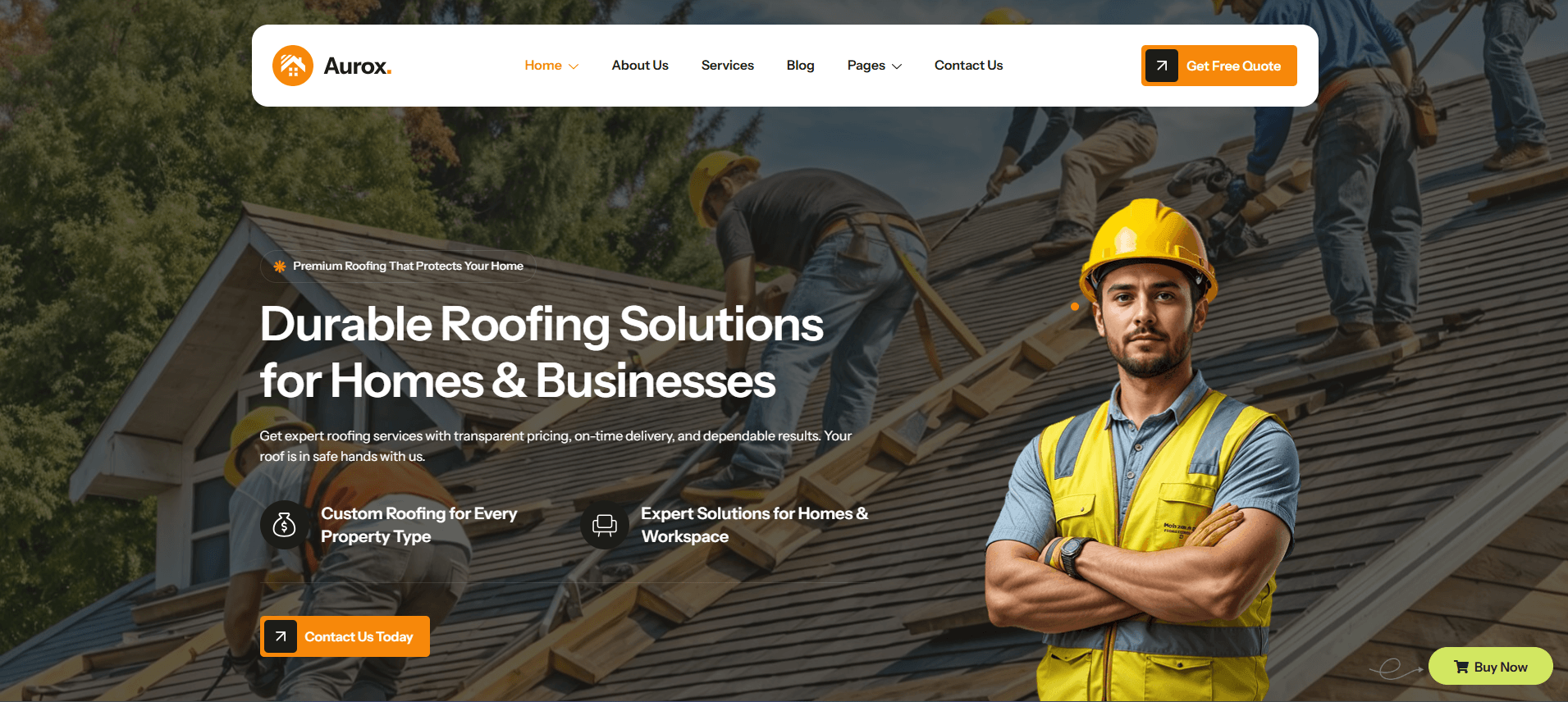
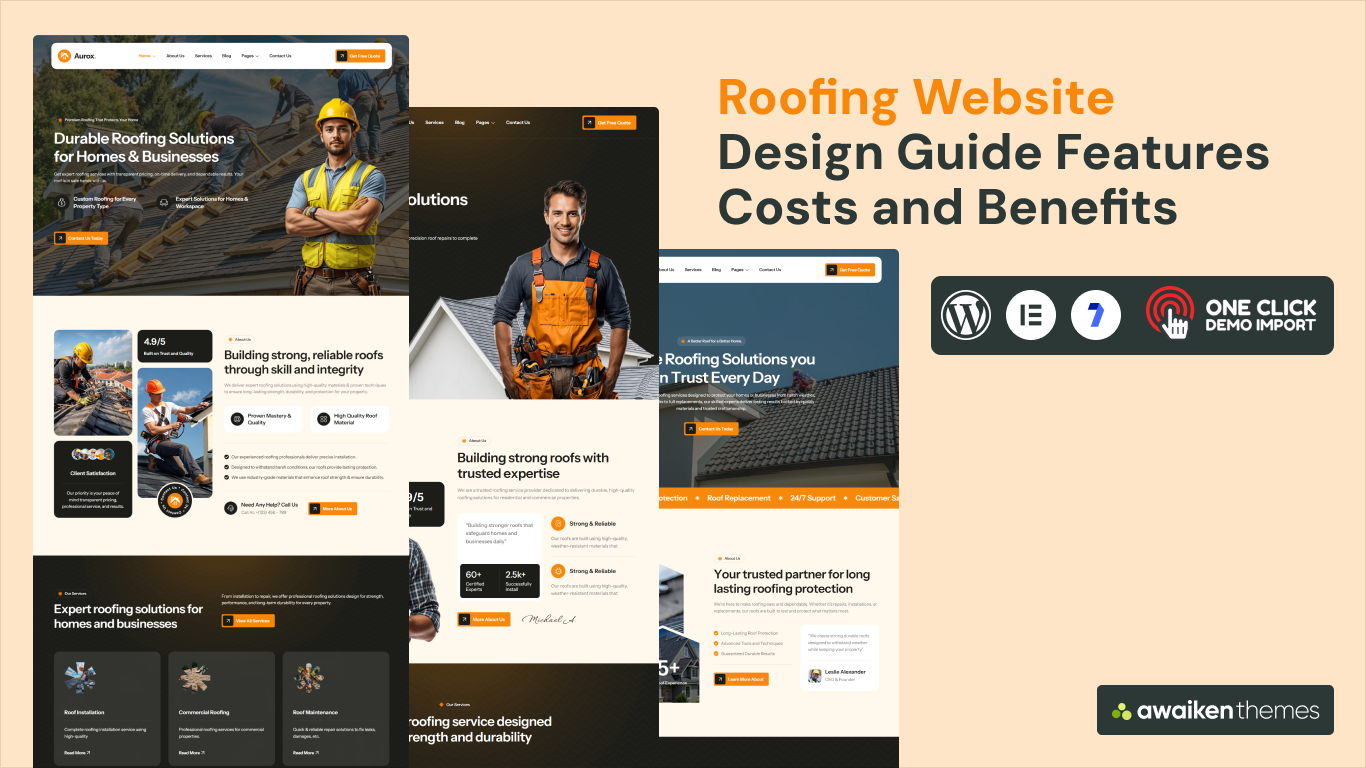
Aurox is a modern roofing solutions WordPress theme for contractors handling residential, commercial, maintenance, and emergency repair work. It comes with three unique homepage layouts, so you can choose the opening that fits your business.
Its ready-made pages cover Projects, Project Details, Pricing Plans, Team Details, Testimonials, and FAQs. These pages help you show your work, services, pricing, and customer proof before a homeowner contacts you.
Aurox is also the best seller of the three on the Awaiken store. Global color and typography controls make it easier to keep the entire site consistent from one central panel.
✅ What I like about Aurox:
- Three Unique Homepage Layouts: Choose the homepage structure that fits your roofing business.
- Projects and Project Details: Turn finished roofing work into individual project showcases.
- Pricing Plans Page: Display packages or starting prices before visitors contact you.
- Image Comparison Widget: Show before-and-after results side by side.
- Global Design Control: Manage fonts and colors across the site from one place.
- Customizable Header and Footer: Add your branding, phone number, and service areas.
- Lifetime Updates and Support: Get future updates free, with six months of support included.
Best For: Roofing contractors, repair services, inspection and maintenance providers, roof installers, renovation companies, and residential or commercial roofing firms.
3. Ruffix – Roofing Service WordPress Theme
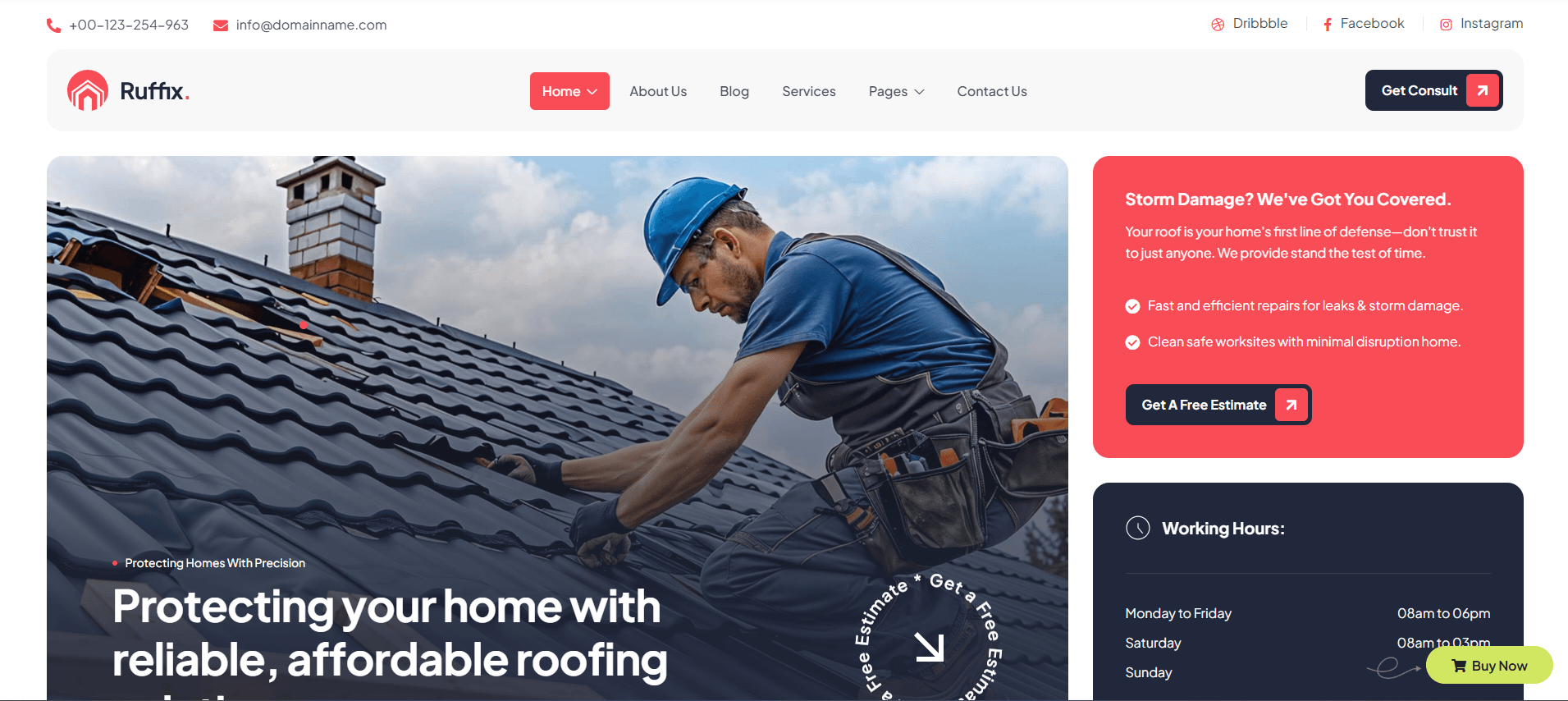
Ruffix is a clean roofing WordPress theme for companies that combine roofing with repairs, renovation, or general contracting. Its service-focused layouts put your work and contact options front and center.
The theme includes three hero layouts, plus four header and four footer variations. This gives you more flexibility to create a look that fits your brand without building everything from scratch.
Ruffix also includes essential pages such as Services, Projects, Pricing, Team, Testimonials, and Blog. Image and video galleries help you showcase completed work and give visitors more reasons to trust your business.
✅ What I like about Ruffix:
- Three Hero Layouts: Choose from a main banner, image background, or video background.
- Mix-and-Match Headers and Footers: Combine 4 header and 4 footer variations.
- Service and Service Details Pages: Give each roofing or renovation service its own page.
- Image and Video Galleries: Let completed projects provide visual proof of your work.
- One-Panel Styling: Control fonts and colors from one central panel.
- One-Click Demo Import: Import the pre-built layouts and replace them with your content.
Best For: General contractors, roofing companies, home renovation and handyman services, and repair and maintenance providers.
Our guide to roofing service WordPress themes compares more options from other theme makers.
If you also handle other trades, see our roundups covering windows and doors WordPress themes and building and construction WordPress themes.
Now that you have compared the themes, let’s look at the ongoing costs that come after launch.
Roofing Website Maintenance Cost and Other Ongoing Expenses
Most roofing website design quotes cover the initial build, but the costs do not stop after launch. Hosting, maintenance, content, and local SEO can add to your yearly budget.
| Item | Typical Cost | What It Covers |
| Domain name | $10 to $30/year | Your web address, renewed annually |
| Hosting | $60 to $500/year | Server space that keeps your site online and fast |
| Theme license | $19 to $49 one-time | Premium design with lifetime free updates |
| Maintenance | $600 to $2,400/year | Updates, backups, security checks, and minor edits |
| Content and photo updates | $0 to $1,500/year | New project photos, service pages, and blog posts |
| Local SEO | $0 to $18,000/year | Ongoing work to improve local search visibility |
Maintenance is the cost many roofers overlook. An outdated site can become slower, less secure, and harder to keep accurate. Regular upkeep is usually cheaper than fixing problems after they build up.
Also Read: WordPress White Screen of Death: Beginner-Friendly Fixes That Work
Costly Roofing Web Design Mistakes to Avoid Before You Sign
A cheap quote can become expensive when the contract, content, or site setup is wrong. Before choosing a roofing web design provider, check these common mistakes.
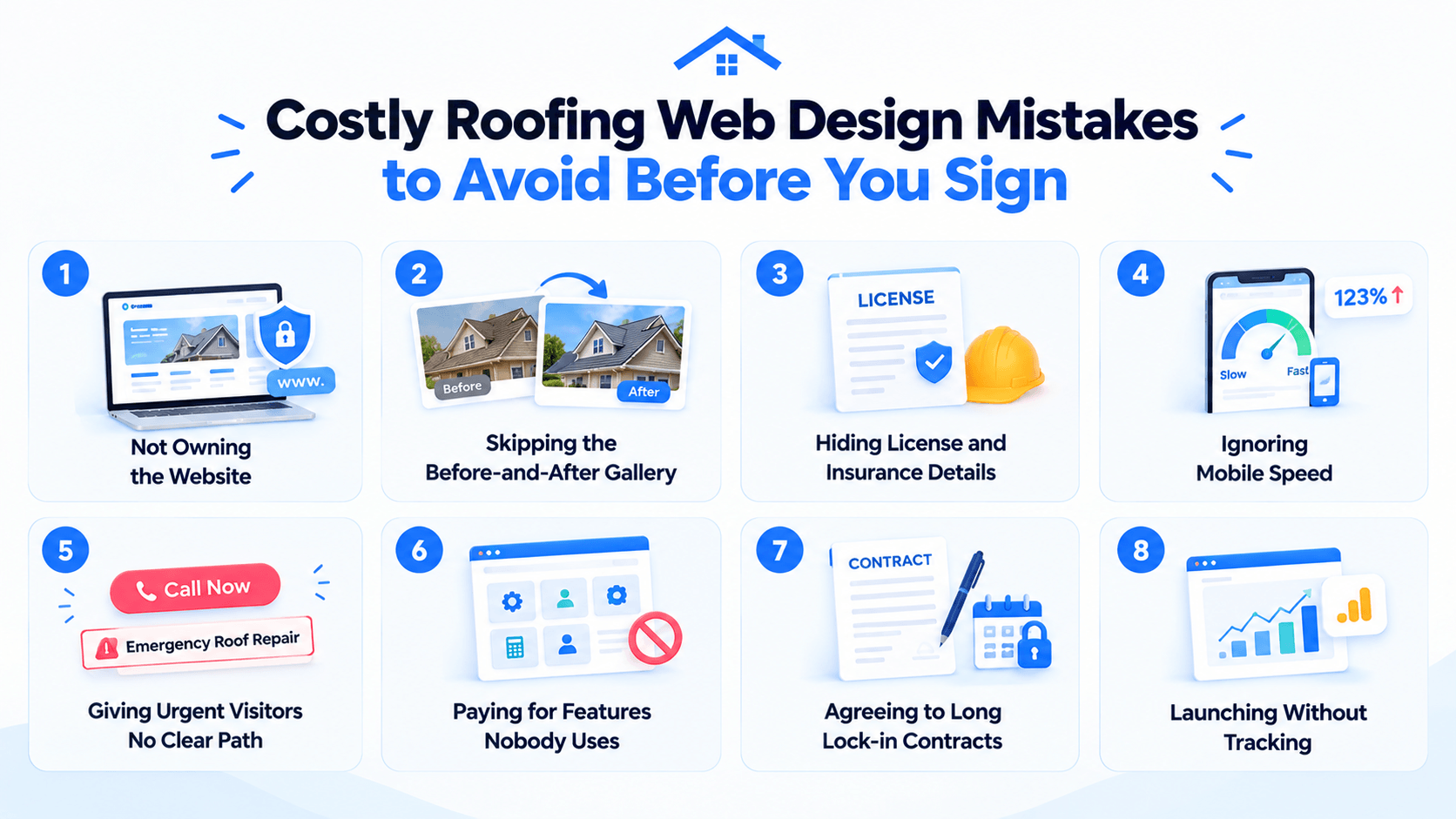
- Not owning the website: Check who owns the domain, design, content, and website files. Some contracts let you use the site while the provider keeps ownership.
- Skipping the before-and-after gallery: Real project photos are some of your strongest proof. Show finished roofs and visible results instead of asking visitors to take your word for it.
- Hiding license and insurance details: Homeowners want to know they are dealing with a legitimate contractor. Keep license, insurance, and certification details close to quote or contact sections.
- Ignoring mobile speed: Google’s research found that the chance of a mobile visitor leaving rises 123% as load time increases from one to ten seconds. Compress large roof photos and avoid unnecessary elements that slow the page.
- Giving urgent visitors no clear path: Someone dealing with a roof leak does not want to search through your company history. Put your phone number and an Emergency Roof Repair or Storm Damage button near the top.
- Paying for features nobody uses: Customer portals, complex calculators, and other advanced tools can increase costs without improving results. Add them only when they solve a real customer or business need.
- Agreeing to long lock-in contracts: Read the cancellation terms before signing. Long commitments and exit fees can make it difficult to change providers if the work does not meet expectations.
- Launching without tracking: Set up basic analytics from day one. You need to know which pages generate calls, quote requests, and other leads so you can improve the site over time.
Website Design for Roofers: How to Turn Visitors Into Leads
Getting traffic is only half the job. Good website design for roofers should turn that traffic into phone calls, quote requests, and inspection bookings.
The strongest sites remove friction at every step. Here are the changes that matter most:
- Make the quote request easy: Add a Get a Free Estimate button in the header, on service pages, and after important sections. Keep the form short and easy to complete on a phone.
- Show your phone number clearly: Homeowners dealing with leaks or storm damage may want to call immediately. Use a tap-to-call number in the header and keep it visible throughout the site.
- Create a page for each service: Give roof repair, replacement, storm damage, and commercial roofing their own pages. Explain what each service includes and end every page with a clear next step.
- Back up claims with proof: Reviews, certifications, warranties, team photos, and project images help remove doubts. Place relevant proof close to your quote and contact buttons instead of hiding it on separate pages.
- Answer common worries early: Homeowners may worry about unreliable contractors or unexpected costs. Explain your written estimate process, payment terms, warranties, and what happens after someone requests an inspection.
- Highlight offers and financing: Seasonal offers, financing options, and free inspections can give hesitant visitors a reason to act. Keep these offers specific and easy to understand.
- Use specific button wording: Book My Free Roof Inspection tells visitors exactly what happens next. It is more useful than vague buttons such as Submit or Contact Us.
- Keep forms short: Six fields or fewer is a sensible starting point. Ask only for information you need to respond. Our guide to the best contact form plugins for WordPress covers the tools.
- Design for thumbs first: Check menus, buttons, phone links, and forms on mobile before launch. A visitor should be able to call or request an estimate without zooming, hunting, or filling out a difficult form.
Which Local SEO Steps Help a Roofing Website Rank?
Roofing searches are usually local and often urgent. Even strong roofing website design needs local SEO to reach homeowners in the areas you serve.
Focus on these steps:
- Complete your Google Business Profile: Add your service areas, hours, services, and recent project photos. Respond to reviews regularly to keep the profile active.
- Build city and service pages: Create separate pages for roof repair, replacement, and other services in the cities you serve. Give each page useful local information instead of changing only the city name.
- Collect reviews after every job: Ask satisfied customers for an honest Google review while the experience is fresh. Recent reviews can strengthen trust and local visibility.
- Use trusted directories: List your business in relevant local, roofing, and manufacturer directories. Keep your business name, address, and phone number consistent across listings.
- Publish helpful roofing content: Answer real homeowner questions, such as what to do after storm damage or when a roof needs replacement. Useful articles can bring in additional local search traffic.
- Mention your service area naturally: Include relevant cities, neighborhoods, and local weather concerns where they genuinely fit. Avoid repeating phrases like “near me” just to target a keyword.
Conclusion: Which Roofing Website Design Option Is Right for You?
The right roofing website design should fit your budget, business size, and goals while making it easy for homeowners to request a quote.
A premium WordPress theme works well for small roofers. Growing contractors can consider a freelancer or agency, while larger companies may need a custom build.
We hope this guide helps you choose the right option. Consider the roofing website cost, maintenance, SEO, and ownership before you decide.
For roofing and exterior services, Awning is a strong option. Aurox suits residential and commercial roofing, while Ruffix works well for renovation and repair services.
Ready to build? Choose a premium WordPress theme that fits your business and start today.
Frequently Asked Questions
1. How much does roofing website design cost?
A premium theme costs $19 to $49, a freelancer $1,000 to $4,000, and an agency $3,000 to $10,000. Custom builds start at around $10,000. Hosting and domain costs are extra.
2. How long does it take to build a roofing website?
A premium theme can launch in 1 to 2 weeks, while agency projects usually take 4 to 10 weeks. Having your content, photos, and business details ready can speed things up.
3. Can I create a roofing website with no coding skills?
Yes. Elementor-based themes let you edit pages visually without coding. One-click demo import also gives you a ready-made starting point.
4. How many pages should a roofing website have?
A basic site can start with 5 pages: Home, Services, Gallery, About, and Contact. For local SEO, consider 15 to 30 pages covering individual services and locations.
5. Can a premium WordPress theme handle a real roofing business?
Yes. Most roofers can use ready-made pages for services, projects, pricing, team, and testimonials. A custom build is mainly needed for advanced tools such as instant roof estimators.
6. Is Elementor Pro required for a roofing WordPress theme?
No. The three themes covered in this guide work with the free version of Elementor. Elementor Pro is optional if you need its additional features.
7. Can I use one roofing theme license on several websites?
It depends on the license. Starter covers 1 website, Professional up to 5, and Agency up to 10 websites.
8. What ongoing costs should a roofer expect after launch?
Budget for domain, hosting, and maintenance each year. Content updates and local SEO are optional costs. Lifetime free theme updates can reduce recurring theme expenses.