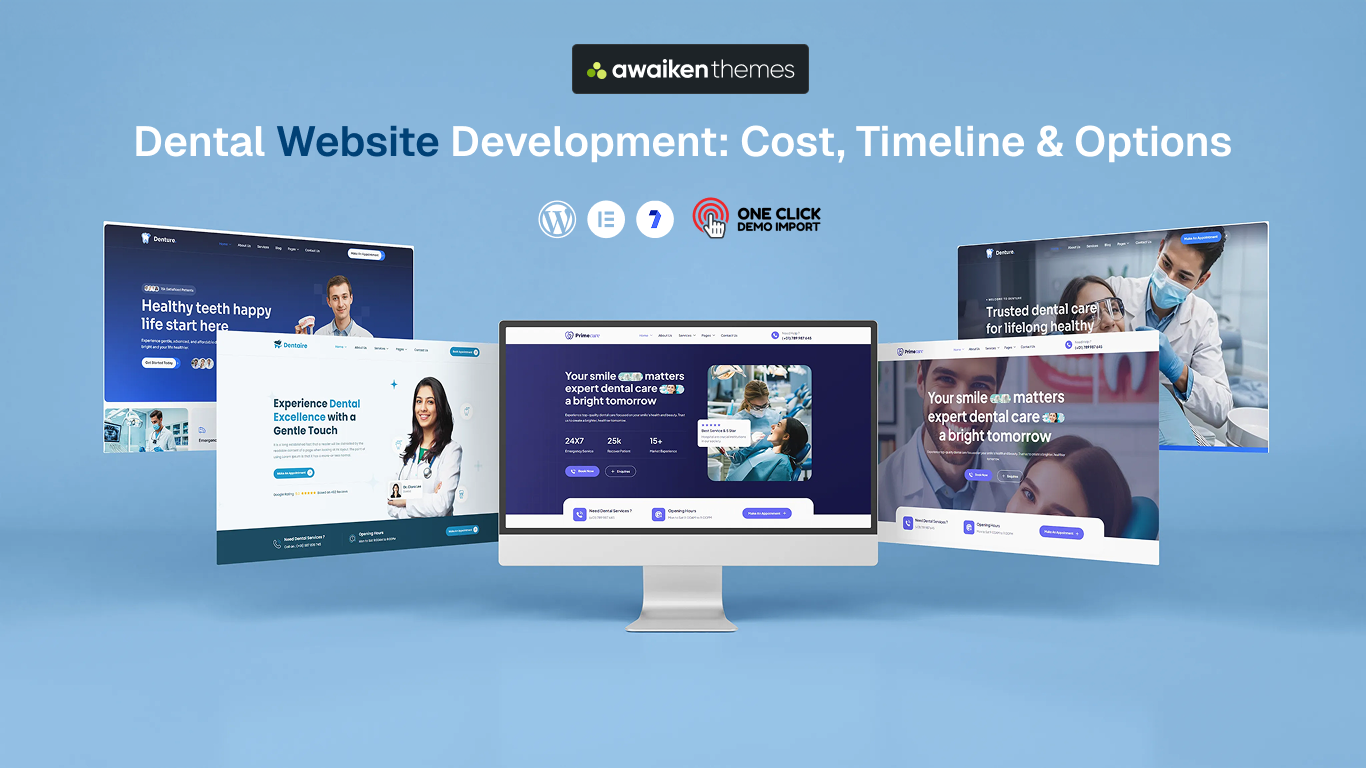
Planning a website for your dental practice but have no idea what it should cost?
You are not alone. Dental website development can cost anywhere from a few hundred dollars to $20,000+. The price depends on the route you choose, the features you need, and how much customization your clinic requires.
The good news is that you do not need the most expensive option to build a website that attracts patients.
The right dental WordPress theme is enough for many small clinics, while a growing dental group often needs a custom website with advanced booking and integrations.
In this guide, you will learn:
- Real cost ranges for every build route
- Realistic timelines from start to launch
- What pushes your price up or down
- Which route suits your practice size
- Three dental themes worth starting from
- Running costs waiting for you after launch
By the end, you will know what dental website development really costs, what you are actually paying for, and which option makes the most sense for your practice.
Dental Website Development Cost and Timeline at a Glance
Before we break anything down, here is the whole market on one screen. These are working dental website development ranges in US dollars. They reflect what agencies, freelancers, and theme shops genuinely charge for a dental clinic website today.
| Route | Typical Cost | Timeline | Best For |
|---|---|---|---|
| Premium WordPress theme | $19 to $49 one-time | 1 to 2 weeks | Solo dentists and small clinics who want a professional site quickly |
| DIY website builder | $200 to $800 a year | 1 to 3 weeks | Very tight budgets and short-term sites |
| Freelance web designer | $800 to $3,000 | 2 to 6 weeks | Clinics wanting a personal touch on a modest budget |
| Dental marketing agency | $3,000 to $8,000 | 4 to 8 weeks | Established practices competing in busy local markets |
| Fully custom build | $8,000 to $20,000+ | 8 weeks or more | Multi-location groups and cosmetic practices with large budgets |
What Features Should a Dental Clinic Website Have?
Around 83% of patients check a dentist’s website before booking an appointment. Your website often makes the first impression before a patient ever calls.
To turn visitors into patients, your dental website should include these important features:
- Mobile-friendly design: Make sure your website, buttons, and booking forms work well on phones.
- Online appointment booking: Let patients request an appointment anytime. Keep the booking button easy to find.
- Separate treatment pages: Create a page for each service, such as implants, braces, whitening, and root canals. This helps patients find information and helps your site appear in Google searches.
- Dentist and team profiles: Add real photos and short bios of your dentists. This helps patients feel more comfortable before their first visit.
- Patient reviews and testimonials: Show real reviews to build trust and help new patients feel confident choosing your clinic.
- Contact details and opening hours: Clearly display your phone number, address, opening hours, and map. Add a click-to-call button for mobile visitors.
- Fast loading speed: A slow website can make visitors leave before they even see your services. Keep your pages fast and simple.
- Before-and-after gallery: Show real treatment results for services such as whitening, veneers, and smile makeovers. This is especially useful for cosmetic dental practices.
Dental Website Development Cost by Route
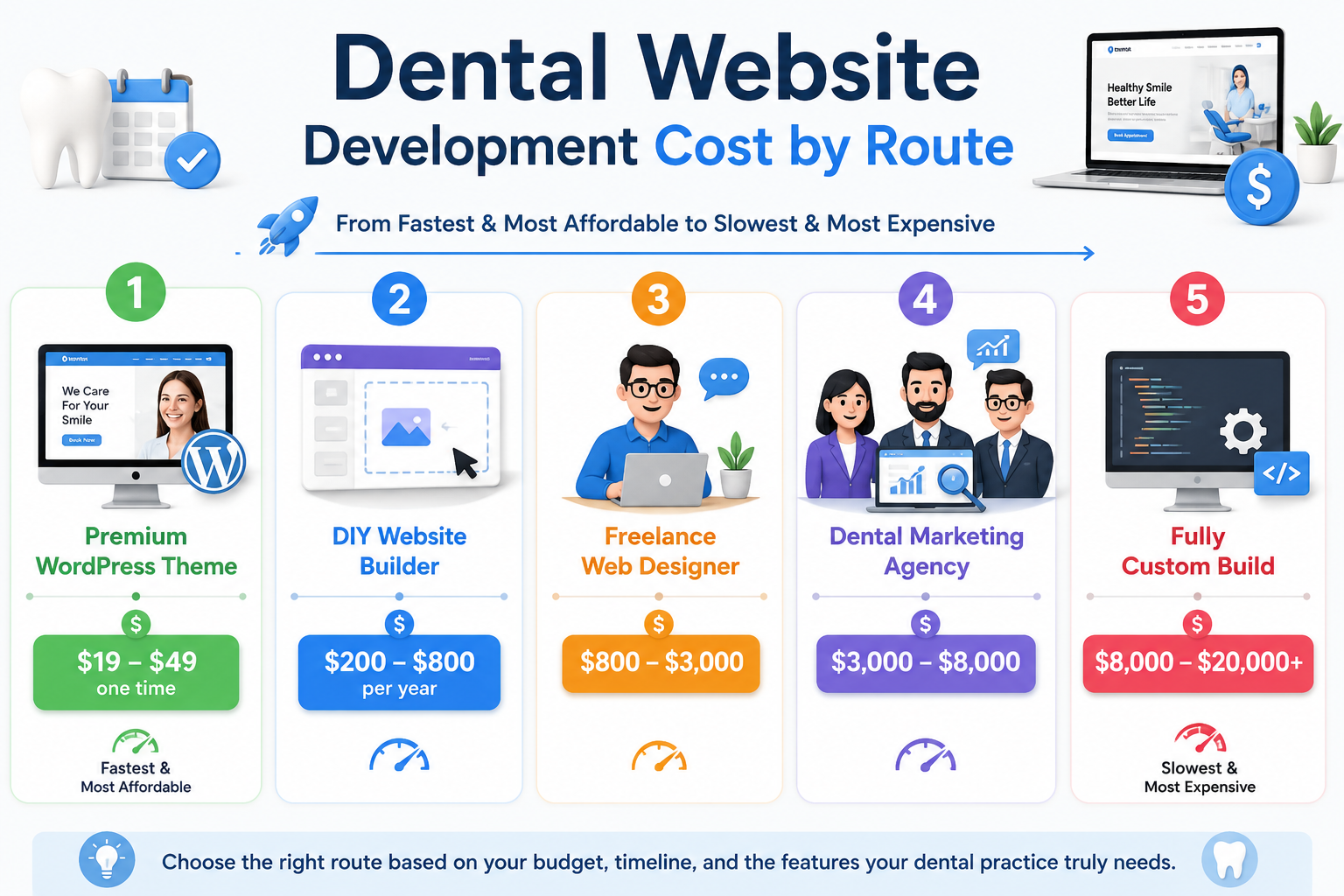
Now let us put a number against each option. Read these in order, because they run from the fastest and most affordable to the slowest and most expensive.
1. Premium WordPress Theme
A premium dental WordPress theme gives you a ready-made design that you can customize with your logo, text, photos, and colors. It usually costs $19 to $49 one-time, making it the most affordable option for solo dentists and small clinics. You still need to pay for hosting, a domain, and content.
2. DIY Website Builder
A DIY website builder lets you create a website using simple drag-and-drop tools without coding. Plans usually cost $200 to $800 per year, making this a good choice for new practices with a tight budget. The downside is that you continue paying a yearly fee to use the platform.
3. Freelance Web Designer
A freelance web designer can create a dentist website design based on your needs for around $800 to $3,000. You work directly with the designer, which can make communication and changes easier. However, the project may take longer if the freelancer is handling several clients at once.
4. Dental Marketing Agency
A dental marketing agency typically charges $3,000 to $8,000 and may handle design, content, SEO, and online appointment booking together. This option works well for established practices that want professional website and marketing support. You are paying for a complete team to handle your dental website development rather than one person.
5. Fully Custom Build
A fully custom website is designed and developed from scratch and usually costs $8,000 to $20,000+. It is best for large practices or multi-location groups that need advanced features such as location-based booking, patient login areas, or custom integrations. For most single-location clinics, this level of investment is usually unnecessary.
Also Read: 15+ Most Successful and Best Dental Clinic WordPress Themes
What Pushes Your Dental Website Design Cost Up or Down
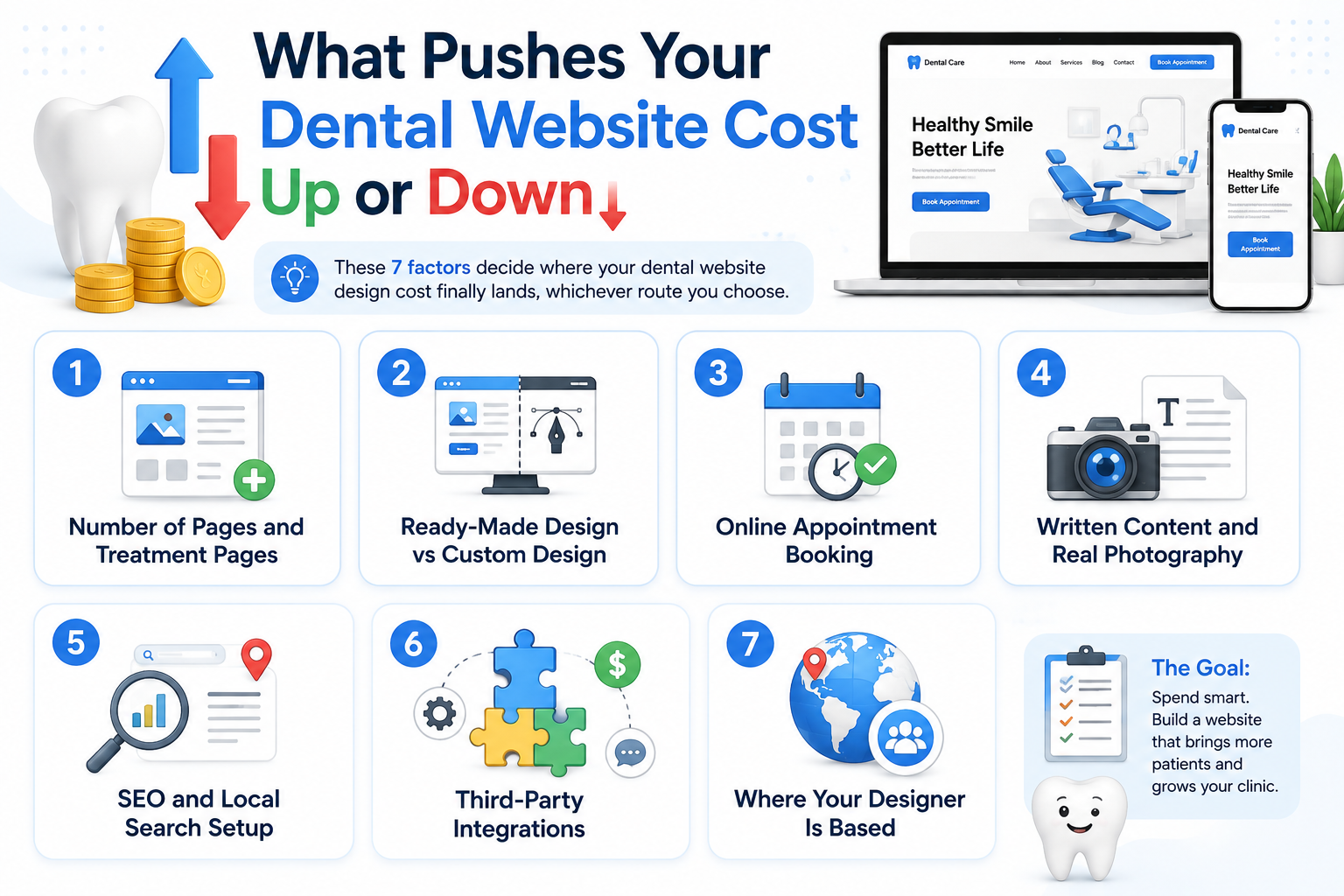
Two dental website development quotes for the same clinic can differ by thousands, and it is almost never arbitrary. These seven factors decide where your dental website design cost finally lands, whichever route you choose.
1. Number of Pages and Treatment Pages
More pages usually mean a higher website cost because each page needs design and content. Treatment pages for services like implants, braces, and whitening are also important for attracting patients from Google, so cutting too many pages may save money but reduce your chances of getting found.
2. Ready-Made Design vs Custom Design
A ready-made design costs less because the layout is already created and tested. A custom design is built from scratch for your clinic, so it can increase your dental website design cost by thousands of dollars.
3. Online Appointment Booking
A simple contact form is usually affordable and sends appointment requests to your clinic. Live online appointment booking with available time slots, dentist schedules, and automatic confirmations costs more because it requires additional setup and integration.
4. Written Content and Real Photography
Professional website content can cost around $500 to $2,500, depending on the number of pages and treatments. Professional photos of your clinic, team, and equipment can also add to the cost, but they often make the website feel more trustworthy than generic stock images.
5. SEO and Local Search Setup
Basic SEO setup can cost around $500 to $2,000 and may include page titles, website structure, loading speed, and Google Business Profile setup. Ongoing SEO usually costs extra, so check whether it is included in your website quote.
6. Third-Party Integrations
Connecting your website with practice management software, payment systems, or messaging tools adds development and testing time. The more integrations you need, the higher your overall website cost will be.
7. Where Your Designer Is Based
Web designers in different countries and regions charge different rates. This can create a big difference between two similar quotes. Instead of choosing your dental website development partner on price alone, check the designer’s experience, portfolio, communication, and quality of work.
How Much Time Does It Take to Build a Dental Website?
Dentist website design timelines slip far more often than budgets do, and the reason is almost always the same. The build ends up waiting on you.
| Route | Realistic Timeline | What Usually Slows It Down |
|---|---|---|
| Premium WordPress theme | 1 to 2 weeks | Waiting on your own text and clinic photos |
| DIY website builder | 1 to 3 weeks | Learning the editor while running a practice |
| Freelance web designer | 2 to 6 weeks | One person juggling several clients at once |
| Dental marketing agency | 4 to 8 weeks | Content approval rounds and photo shoots |
| Fully custom build | 8 weeks or more | Design revisions and integration testing |
Which Approach Is Right For Dental Website Development
Cost tables only take you so far, so here is the practical version. Find your practice below and your dental website development route usually becomes obvious.
- Brand-new solo practice: Start with a premium dental WordPress theme. Your budget belongs in equipment and local marketing, not a bespoke design nobody has searched for yet.
- Established single-chair clinic: A theme or a freelancer both work well here. Spend whatever you save on proper treatment pages and real photography of your rooms.
- Multi-dentist clinic: Choose a theme with dentist profile pages and booking built in. Brief an agency instead if your inquiry volume already strains the front desk.
- Multi-location group: Budget for an agency or a custom build, because branch pages, separate opening hours, and routed bookings genuinely need engineering.
- Cosmetic-focused practice: Prioritize before-and-after galleries and photography above everything else, since these patients buy with their eyes long before they call.
Now that you have compared all five routes, let’s look at the question everyone asks next.
AI Website Builders vs a Dental WordPress Theme: Which One to Choose?
Are you planning to build your dental website with AI because it seems faster and easier?
AI can create a basic website in minutes, but you usually pay a yearly fee and have less control over your site.
A premium dental WordPress theme gives you a professional design, ready-made dental pages, more customization, and better long-term value without the cost of a custom website.
In fact, WordPress still powers more than 40% of all websites, which is why premium themes exist for almost every profession.
Here is how the two options compare:
| What matters | AI Website Builder | Dental WordPress Theme |
| Cost | $200 to $800 per year | $19 to $49 one-time |
| 5-year cost | $1,000 to $4,000 | $19 to $49, plus hosting |
| Dental pages | Depends on the platform | Treatment, team, FAQ, testimonials, gallery, and booking pages ready |
| Design | AI-generated | Professional dental design |
| Customization | Limited by the platform | More control over colors, fonts, layouts, and pages |
| Appointment booking | Depends on the platform | Add the booking plugin you prefer |
| Website ownership | Tied to the platform | You own the website and can move hosts |
| Future growth | Limited by the platform | Easily add pages, plugins, and features |
| Best for | Quick, basic websites | Professional dental |
In short,
- If your goal is simply to get a website online quickly, an AI builder can do the job.
- But if you want a professional dental website that you own, can customize, and can grow with your clinic, a premium dental WordPress theme offers better value.
Also Read: Best Medical Website Theme for Clinic and Hospital Website
Quick 3 Picks: Best Dental WordPress Themes
If you are short on time, this side-by-side covers the three strongest WordPress themes for dental practices:
 First choice First choice |  Second choice Second choice |  Third choice Third choice |
|---|---|---|
| Dentaire – Dental WordPress Theme | Denture – Dental Clinic WordPress Theme | Primecare – Dentist WordPress Theme |
 |  |  |
| Popularity: Elite Author on ThemeForest with 17,000+ sales | Popularity: Elite Author on ThemeForest with 17,000+ sales | Popularity: Elite Author on ThemeForest with 17,000+ sales |
| Rating: 4.7 stars across nearly 300 buyer reviews | Rating: 4.7 stars across nearly 300 buyer reviews | Rating: 4.7 stars across nearly 300 buyer reviews |
| Built for: Dental clinics, dentists, orthodontists, oral surgeons and dental hospitals | Built for: Private practices, cosmetic dentists, pediatric clinics and dental labs | Built for: Dentists, periodontists, oral surgeons and multi-specialty dental practices |
| Homepage layouts: Five homepage hero versions so you can lead with your team, your technology or a booking prompt | Homepage layouts: Three complete homepage layouts, each with its own personality | Homepage layouts: Clean, minimal hero design built to feel calm and reassuring |
| Ready-made pages: About, Services, Team, Gallery, Technology, Testimonials, FAQs, Contact and a dedicated appointment booking page | Ready-made pages: Full inner page set plus Case Study and Case Study Details pages | Ready-made pages: Service, team, testimonial, FAQ and blog pages with booking built in |
| Appointment booking: Dedicated booking page ready to fill | Appointment booking: Book Appointment page included | Appointment booking: Integrated booking form working out of the box |
| Easy to Customize: Edit everything with Elementor. No coding skills required | Easy to Customize: Edit everything with Elementor. No coding skills required | Easy to Customize: Edit everything with Elementor. No coding skills required |
| One Click Demo Import: Import the complete website within minutes | One Click Demo Import: Import the complete website within minutes | One Click Demo Import: Import the complete website within minutes |
| Lifetime Free Updates: Receive every future update at no extra cost | Lifetime Free Updates: Receive every future update at no extra cost | Lifetime Free Updates: Receive every future update at no extra cost |
| Design control: Global colors and typography plus a header and footer builder | Design control: Customizable header and footer with image and video gallery sections | Design control: Uncluttered layout with WooCommerce support for selling aftercare products |
| Speed and SEO: SEO-friendly structure that loads fast on mobile | Speed and SEO: SEO-friendly code built for fast loading on phones | Speed and SEO: SEO-optimized structure so local patients can find you |
| Works with: Elementor (Pro not required), Contact Form 7 and WPML | Works with: Elementor (Pro not required), Contact Form 7 and WPML | Works with: Elementor (Pro not required), Contact Form 7 and WPML |
| Price: $49 for one website, with lifetime free updates | Price: $49 for one website, with lifetime free updates | Price: $49 for one website, with lifetime free updates |
| See it live: Live Preview | See it live: Live Preview | See it live: Live Preview |
Not sure which dental WordPress theme is right for your practice? These three affordable options turn dental website development into a one-week job, and their key features, pricing, and best use cases are compared below.
1. Dentaire – Dental WordPress Theme
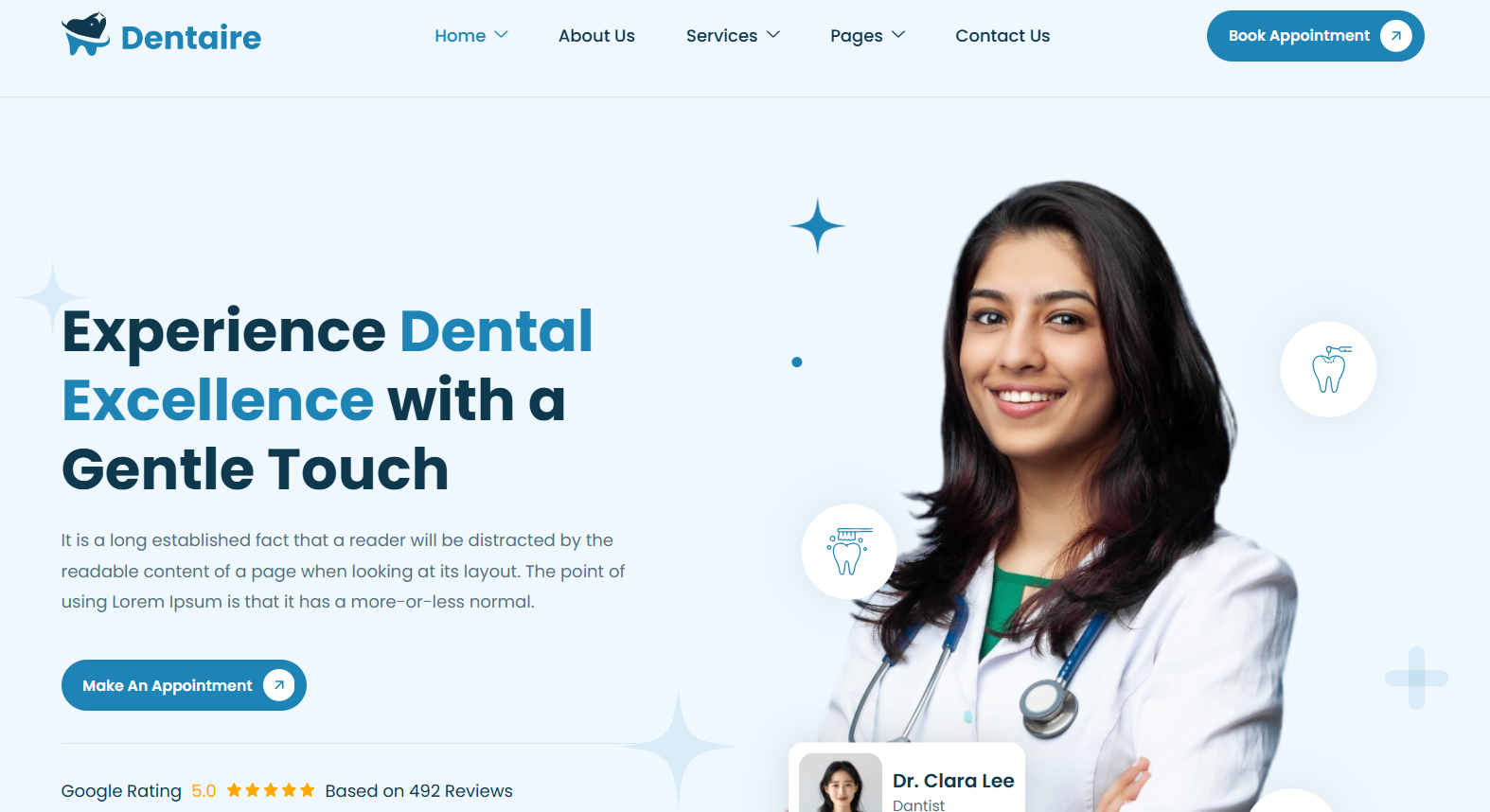
Dentaire is a dental WordPress theme built for clinics that want a polished site running in days rather than months. It ships with five different homepage hero versions, so you can lead with your team, your technology, or a straight booking prompt.
The design is fully responsive, which matters because most people searching for a dentist do it on a phone. Everything is edited visually, so you never go near code at any point.
What makes Dentaire genuinely practical is the page library. You get About, Services, Team, Gallery, Technology, Testimonials, FAQs, Contact, and a dedicated appointment booking page ready to fill. Every color and font is controlled from one panel, so rebranding takes minutes rather than a fresh design quote.
What I like about Dentaire:
- Five homepage hero versions to test different opening messages
- Dedicated appointment booking page ready to fill
- 10+ inner pages covering services, team, gallery, technology, and FAQs
- Elementor compatibility for drag-and-drop editing
- Global color and typography control from one panel
- Header and footer builder with no code required
- One-click demo import and lifetime free updates
Why I recommend Dentaire: I recommend Dentaire because it gives single-location clinics the fullest page set of the three, so almost nothing needs to be built from scratch. You can launch a complete dental website in under a week and rebrand it in minutes.
2. Denture – Dental Clinic WordPress Theme
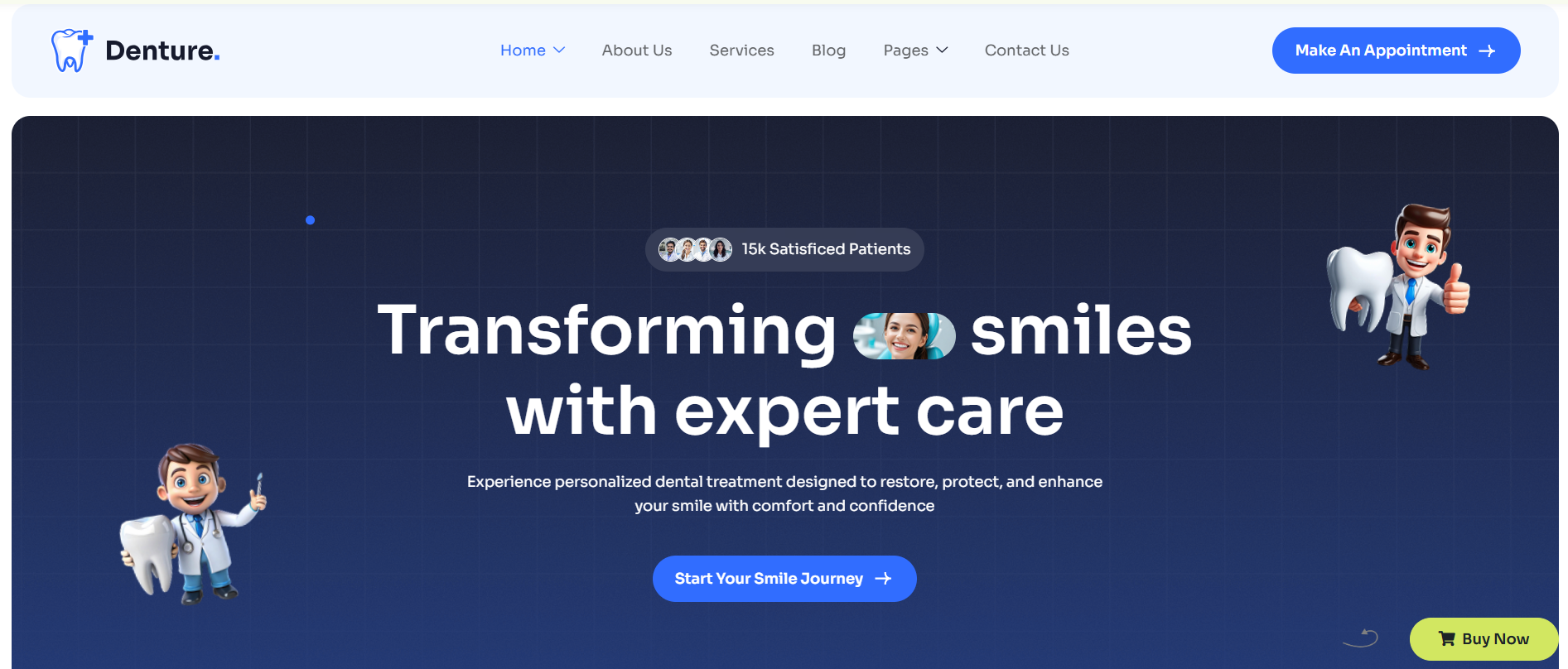
Denture takes a slightly different approach by giving you three complete homepage layouts rather than variations on one. That flexibility helps when a family practice and a cosmetic clinic want the same theme with a different personality out front. At $39, it is the most affordable of the three, and it still carries the full page set.
The addition worth noticing here is the case study section. Case Study and Case Study Details pages let you walk a nervous patient through a full treatment story. That does more persuading than a paragraph of service copy ever will.
What I like about Denture:
- Three complete homepage layouts, each with its own personality
- Case study pages that walk patients through a full treatment story
- Image and video galleries for rooms, equipment, and results
- Book appointment page included
- Customizable header and footer for logo, hours, and phone number
- Elementor compatibility for drag-and-drop editing
- Lifetime free updates and support
Why I recommend Denture: I recommend Denture because it is the most affordable of the three at $39 and still carries the full page set. The case study pages are the standout, giving nervous patients real treatment stories instead of service copy.
3. Primecare – Dentist WordPress Theme
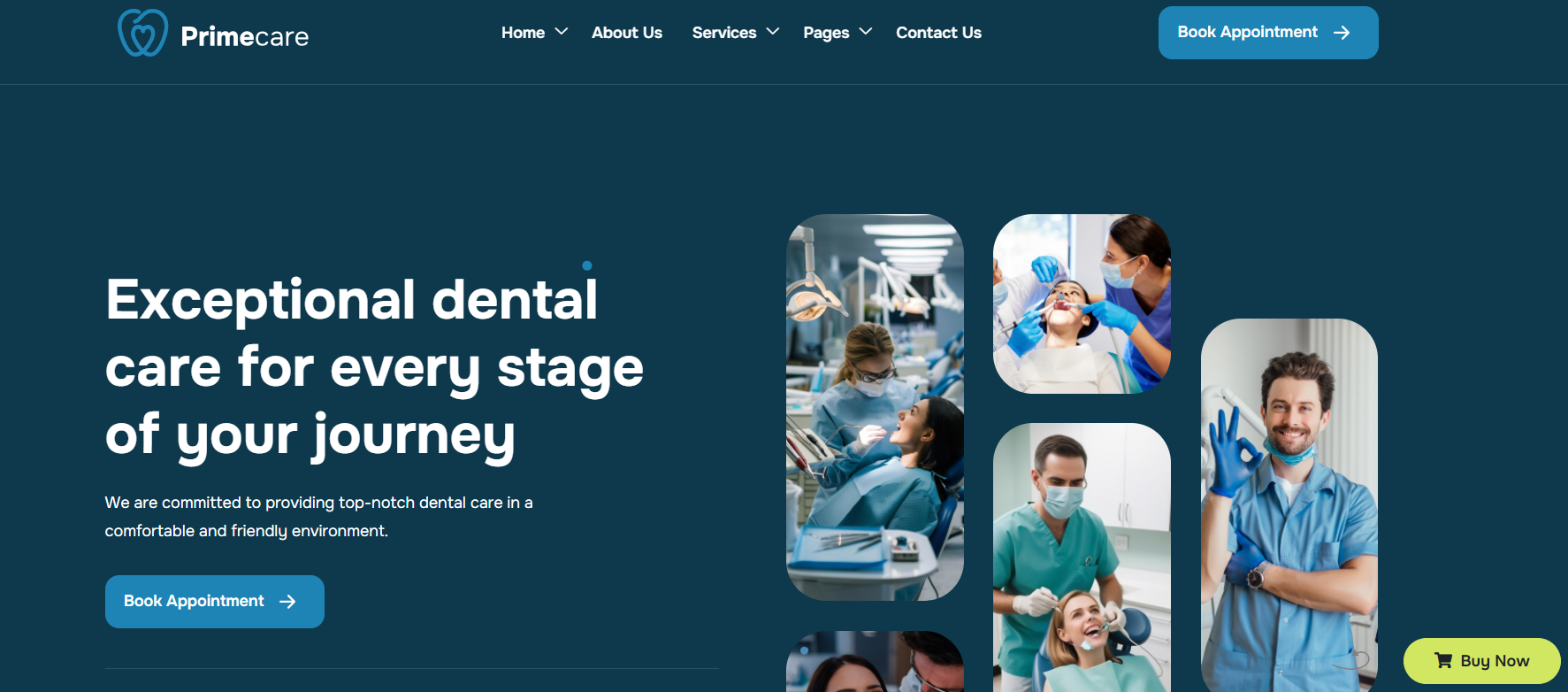
Primecare is the most established of the three, with over 430 sales and a five-star rating from verified buyers. Its clean, minimal layout feels calm and trustworthy, which suits practices treating anxious patients or families. WooCommerce support means a clinic selling aftercare products has room to grow.
Its strongest card is the integrated appointment booking form, ready out of the box rather than bolted on later. Pair that with the ready-made team, testimonial, and FAQ pages, and you have a dentist website design that answers most patient questions before anyone calls.
What I like about Primecare:
- Integrated appointment booking form working out of the box
- Clean, minimal layout built to feel calm and reassuring
- Pre-designed service, team, testimonial, and FAQ pages
- WooCommerce-ready for selling aftercare products
- SEO-optimized structure for local search
- Blog section for answering common oral health questions
- Elementor compatibility with lifetime free updates
Why I recommend Primecare: I recommend Primecare because it is the most proven of the three, with over 430 sales and a five-star buyer rating. Booking is built in rather than bolted on, which suits multi-dentist practices handling steady appointment volume.
Now that you have seen what each route costs to build, let us talk about the bills that arrive once your site goes live.
Dental Website Maintenance Cost and Other Running Expenses
Almost every dental website development quote covers the build and stops there. Running a dental clinic website carries costs after launch too, and knowing them upfront prevents nasty surprises in month three.
| Item | Typical Yearly Cost | What It Covers |
|---|---|---|
| Domain name | $10 to $30 | Your web address, renewed once a year |
| Hosting | $60 to $600 | The server space that keeps your site online and loading fast |
| Theme license | $19 to $49 one-time | A premium design with lifetime free updates included |
| Maintenance | $600 to $3,600 | Updates, backups, security checks, and small content edits |
| Content updates | $0 to $1,200 | New treatment pages, staff changes, and blog posts |
| Local search work | $0 to $6,000 | Ongoing effort to rank for treatment searches in your city |
Your dental website maintenance cost is the line most practices underestimate. A site left untouched for a year gets slower, drifts out of date, and becomes an easy target. Repairing that always costs more than maintaining it.
Also Read: WordPress White Screen of Death: Beginner-Friendly Fixes That Work
Costly Dental Website Development Mistakes to Avoid Before You Pay Anyone
A few expensive traps show up again and again in dental website development projects, and every one of them is avoidable.
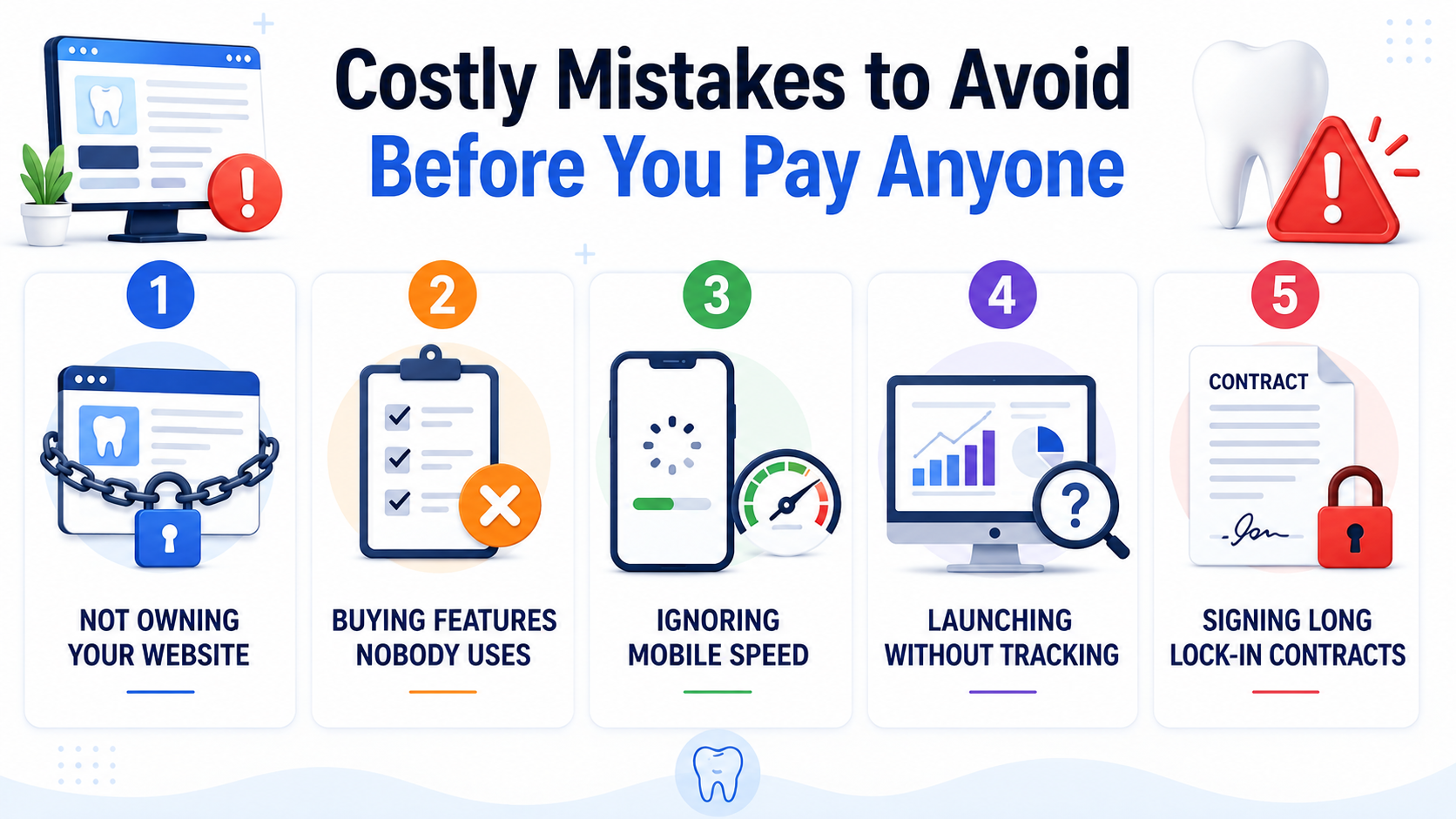
- Not owning your website: Some contracts hand you the photos and words but keep the site itself, so leaving means paying to rebuild.
- Buying features nobody uses: Patient portals and cost calculators sound impressive, yet most single-chair clinics never switch them on.
- Ignoring mobile speed: Google’s research found the chance of a visitor leaving rises 32% when load time goes from one second to three. Patients leave before your homepage image appears.
- Launching without tracking: Without knowing which pages produce calls, you have no idea what to improve or where to spend next.
- Signing long lock-in contracts: A twelve-month tie-in with cancellation penalties removes your only real leverage if the work disappoints.
How Do You Turn Dental Clinic Website Visitors Into Leads?
Getting visitors to a dental website is only the first step. The main goal of developing dental clinic websites is to turn those visitors into potential patients who call, submit an inquiry, or book an appointment. Therefore, a modern-looking dental website should be designed with clear, high-converting opportunities in mind, rather than simply aiming for a professional look.
Here are the key points to cover:
- Make Appointment Booking Easy
Add a prominent **“Book an Appointment”** button throughout the website, particularly in the header, service pages, and near the end of important content. Keep the booking process short and mobile-friendly.
- Display Phone Numbers Clearly
Many patients prefer calling a dental clinic directly. Use a clickable phone number on mobile devices and place it where visitors can easily find it.
- Create Dedicated Service Pages
Instead of putting every treatment on one page, create individual pages for services such as dental implants, teeth whitening, orthodontics, root canals, and cosmetic dentistry. Each page should explain the treatment and provide a clear next step.
- Build Trust With Social Proof
Include patient reviews, testimonials, ratings, dentist credentials, certifications, before-and-after images where appropriate, and information about the clinic and its team.
- Strategic CTA Placement
Write content in natural and easy-to-understand language and place a call-to-action (CTA) where visitors naturally push: After describing any problem & Solutions, customer testimonials, After Listing your service. Use action-oriented language specific to dental practice: “Get a Free Consultation,” “Book Appointment Now” instead of generic buttons like “Submit” or “Contact Us”.
Adding a phone number at the top of every page and adding a call button for mobile can increase the leads compared to adding the phone number just on the contact page.
- Optimize for Mobile Users
Make sure buttons, forms, phone numbers, menus, and appointment booking work smoothly on smartphones. A complicated mobile experience can cause potential patients to leave before contacting the clinic.
- Make Contact Forms Simple
Ask only for essential information initially, such as name, phone number, email, and preferred appointment time. Long forms can create unnecessary friction.
What Local SEO Strategy Works Best for a Dental Website?
For dental practices, attracting visitors from the right geographic area is often more valuable than generating large amounts of general website traffic. Local SEO helps a dental clinic appear when people in its service area search for dentists, treatments, and related services.
Here are the key local SEO strategies to cover:
- Optimize the Google Business Profile
Create and fully optimize your dental clinic’s **Google Business Profile** with the correct business name, address, phone number, website, opening hours, services, photos, and other relevant information.
- Create Location and Service Pages
If your dental clinic services multiple locations, Create location and services specific pages for your dental services for ex. Dental Implants in [ CITY NAME ] Austin, Teeth Whitening in [ CITY NAME ] etc. Location specific service pages have the potential to rank top on Google.
Post blog content targeting Dental service and location-specific keywords. That will generate long-term organic traffic. Focus on Educational & Preventive Care (Daily routines, Early signs), Treatment Explanations (Step by Step Guides, Options, Cost Factors). Each piece of content is another landing page that can rank for local keywords and attract potential customers.
- Collect Genuine Patient Reviews
Encourage satisfied patients to leave honest reviews on platforms such as Google. Reviews can strengthen trust and contribute to the clinic’s local online presence. Positive reviews can make your Google Business Profile stronger in search results. More reviews can generate more trust
- Build Local Citations
List the dental practice in relevant local directories, healthcare directories, business directories, and professional organizations. Prioritize reputable and relevant websites rather than creating large numbers of low-quality listings.
- Optimize for “Near Me” Searches
Use clear location information, embedded maps, service areas, and naturally written local content to help search engines understand where the clinic operates. There is no need to repeatedly add “near me” keywords to the page.
Conclusion: Which Dental Website Development Option Is Right?
Dental website development does not have to be expensive. The right option depends on your budget, clinic size, goals, and the features your patients need.
For a new or small practice, a premium dental WordPress theme can be a fast and affordable way to get online. Growing clinics may benefit more from a freelancer or dental marketing agency, while larger practices may need a custom website.
Before choosing, look beyond the upfront price. Consider maintenance, SEO, online appointment booking, integrations, and whether you fully own the website.
Now it’s your turn. Choose a dental WordPress theme like Dentaire, Denture, or Primecare, import a demo, customize it for your clinic, and launch a website that fills your appointment book.
Dental Website Development – FAQs
1. How much does dental website development cost?
Your dental website design cost depends mostly on the route you pick. Expect $19 to $49 for a premium theme, $800 to $3,000 for a freelancer, and $3,000 to $8,000 for an agency. Fully custom builds start around $8,000 and climb from there. Most single-location clinics get everything they need well below the agency tier.
2. Can I build a dental clinic website without any coding?
Yes, and most clinic owners do exactly that. A premium theme built on Elementor lets you drag elements around the page and type your own text straight onto it. No coding knowledge is needed at any stage.
3. How long does it take to launch a dental website?
A theme-based dental website development project can go live in one to two weeks, while agency builds usually run four to eight weeks. The delay is rarely technical. Gathering treatment descriptions, dentist biographies, and clinic photos early is the fastest way to shorten it.
4. Is a premium WordPress theme good enough for a real dental practice?
For most practices, it genuinely is. Premium dental themes include appointment pages, treatment layouts, team profiles, and testimonials already built and tested. You would only outgrow one if you needed branch-specific booking or a patient login area.
5. Do I need Elementor Pro to use a dental WordPress theme?
No, Elementor Pro is not required. Awaiken themes work with the free version of Elementor, and everything in the demo can be recreated without an upgrade. You are free to add Pro later if you want its extra widgets.
6. How many websites can I build with one theme license?
A single license covers one website, which suits a clinic building its own site. Multi-site licenses are available if you run several branded practices or build sites for other businesses. Check the license tier on the product page before buying.
7. What ongoing costs should a dental clinic expect after launch?
Budget for a domain, hosting, and basic maintenance as your yearly minimum, since your dental website maintenance cost never disappears. Content updates and local search work are optional but valuable once patients start arriving through search. A theme with lifetime free updates removes one recurring charge entirely.
8. When should a dental practice redesign its website?
Every four to five years is a sensible rhythm for most clinics. Rebuild sooner if your site loads slowly on phones, no longer matches your branding, or stops bringing in inquiries. A tired site quietly costs you more than a refresh would.